Creating a cozy and functional home workspace is key to maintaining productivity and comfort, especially when working or studying from home. A well-designed workspace can boost focus, reduce stress, and make your day more enjoyable. Whether you have a dedicated room or just a small corner, these tips will help you set up a space that works for you.
Choose the Right Location
Consider Natural Light
Placing your workspace near a window can provide plenty of natural light, which helps reduce eye strain and improve mood. If natural light is limited, choose a spot where you can add adequate artificial lighting.
Minimize Distractions
Pick a quiet area away from high-traffic parts of your home. If that’s not possible, use noise-canceling headphones or white noise machines to create an environment conductive to concentration.
Select Comfortable and Supportive Furniture
Invest in a Good Chair
Ergonomics matter. Choose a chair that supports your back and encourages good posture. If possible, get an adjustable chair so you can change height and tilt to suit your body and desk setup.
Opt for a Functional Desk
Your desk should be the right size for your needs. It should hold your computer, supplies, and provide enough workspace without feeling cramped. Consider desks with built-in storage options or use separate shelves to keep things organized.
Organize Your Workspace Efficiently
Declutter Regularly
Keep your workspace tidy by removing items you don’t need daily. A clutter-free environment helps you focus and reduces stress.
Use Storage Solutions
Incorporate shelves, drawers, and containers to store supplies like pens, papers, and cables. Labeling can make finding things quicker and help maintain order.
Manage Cables
Cable management tools, like clips or sleeves, prevent tangled cords and create a cleaner look.
Personalize for Comfort and Inspiration
Add Cozy Elements
Incorporate soft textures, such as cushions, rugs, or throws, to make the workspace inviting. A comfortable atmosphere encourages longer focus sessions without discomfort.
Bring in Greenery
Plants add life to your workspace and can improve air quality. Choose low-maintenance plants like succulents, snake plants, or pothos.
Display Inspirational Items
Include a few personal touches like photos, artwork, or quotes that motivate you. Too many decorations can be distracting, so keep it simple.
Optimize Lighting for Work and Ambiance
Layered Lighting
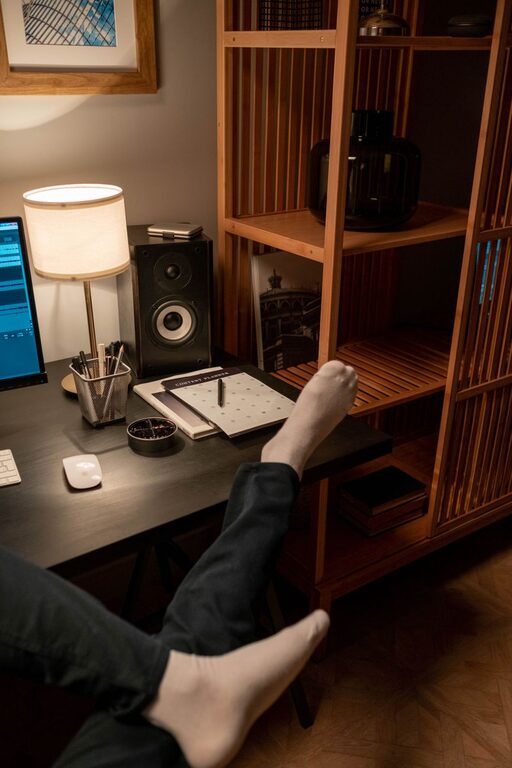
Combine natural light, task lighting (like desk lamps), and ambient lighting to create a balanced environment. Adjustable desk lamps help focus light where you need it most.
Avoid Glare
Position your monitor and light sources to prevent glare on the screen, which can cause eye strain.
Maintain Proper Technology Setup
Use the Right Equipment
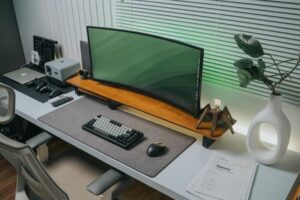
Ensure your computer, keyboard, mouse, and monitor setup are comfortable and efficient. External keyboards and monitors can reduce neck and wrist strain.
Keep Your Devices Charged and Ready
Use charging stations or docks to keep devices organized and fully powered.
Secure Reliable Internet
A strong internet connection is essential for remote work. Consider upgrading your router or using a wired connection if possible.
Establish Boundaries and Routine
Define Work Hours
Set clear working times to help separate professional life from personal time, especially in shared living spaces.
Use Visual or Physical Cues
A room divider, curtain, or even a dedicated chair can signal work time and help you mentally switch roles.
Incorporate Movement and Break Zones
Stand or Move Occasionally
Consider a sit-stand desk or schedule regular breaks to stretch and move your body. This supports health and productivity.
Create a Relaxation Spot
If space allows, add a comfortable chair or corner where you can take short breaks to recharge.
Final Thoughts
Designing a cozy and functional home workspace doesn’t require a large budget or much space. By carefully choosing your location, focusing on ergonomics, organizing efficiently, and personalizing your area, you can create an environment that supports your productivity and well-being. Remember, the best workspace is one tailored to your needs and habits. Take your time to experiment and adjust until it feels just right.