
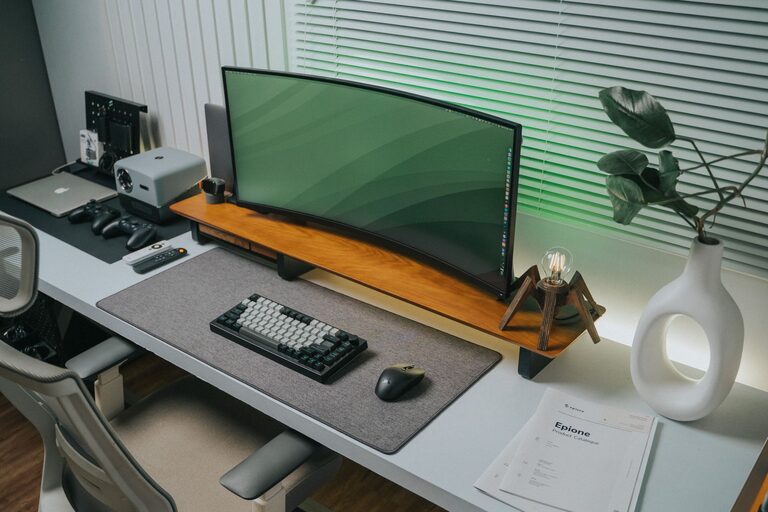
Creating a clutter-free home office is essential for productivity and comfort. A well-organized workspace not only helps you stay focused but also reduces stress, making it easier to separate work from home life. Whether you’re working remotely full-time or occasionally using a space for work, these helpful tips will guide you through organizing and maintaining a tidy, efficient home office.
Why a Clutter-Free Office Matters
A clutter-free environment helps enhance concentration, boosts creativity, and improves overall work performance. When your desk and surrounding space are organized, you spend less time searching for items and more time accomplishing tasks.
Step 1: Choose the Right Location
Selecting a dedicated space for your office is the foundation of staying organized.
– Find a quiet spot with minimal distractions.
– Ensure there is enough natural light to improve mood and reduce eye strain.
– Choose an area with adequate space for your desk and storage solutions.
Step 2: Declutter Before You Organize
Before adding any storage solutions or furniture, it’s important to declutter.
– Sort through your items and separate them into categories: keep, donate, recycle, or discard.
– Keep only essentials and items you use regularly in your workspace.
– Remove everything from your desk to clean the surface thoroughly.
Step 3: Invest in Smart Storage Solutions
Storage is key to maintaining a clutter-free office.
Desk Organizers
– Use drawer dividers to separate small items like pens, paper clips, and sticky notes.
– Opt for desktop organizers with compartments for mail, notepads, and gadgets.
Shelving and Cabinets
– Wall-mounted shelves free up desk space and give you room for books or decorative items.
– Closed cabinets or filing cabinets keep files and office supplies out of sight.
Filing Systems
– Use labeled folders or binders to keep papers organized.
– Consider a digital filing system if you prefer less physical paperwork.
Step 4: Keep Cables Under Control
Cables and cords often create visual clutter.
– Use cable clips or ties to bundle wires together.
– Label cables for easy identification.
– Conceal cables behind the desk or inside cord management boxes.
Step 5: Maintain a Minimalist Desk Setup
A clean desk fosters focus.
– Limit your desktop tools to essentials like your computer, a notepad, and a pen.
– Store rarely used items in drawers or cabinets.
– Clean your desk every day to prevent clutter build-up.
Step 6: Personalize Mindfully
Adding personal touches can make your office inviting but keep it minimal.
– Choose a few photos or artwork that inspire you.
– Add a small plant to bring life into the space without overcrowding.
– Avoid too many decorative items that can distract or take up valuable space.
Step 7: Establish Daily Routines to Stay Organized
An organized system requires consistency.
– Spend 5–10 minutes at the end of each day putting items away.
– Review and sort through paperwork once a week.
– Keep a to-do list or planner to manage tasks effectively.
Additional Tips for a Functional Home Office
– Ergonomics matter: Use an adjustable chair and position your monitor at eye level.
– Good lighting: Combine natural light with task lighting to reduce eye strain.
– Use vertical space: Hooks or bulletin boards can hold important notes without using desk area.
– Regularly reassess: Every few months, revisit your setup to remove unnecessary items.
Conclusion
An organized, clutter-free home office creates a productive and enjoyable working environment. By choosing the right location, decluttering, and investing in smart storage, you can maintain a tidy space that supports your work goals. Remember, keeping your office organized is an ongoing process that benefits greatly from daily habits and conscious choices. With these tips, you’ll be well on your way to a more efficient and pleasant home office experience.