Creating a productive home office begins with setting up a clutter-free space that inspires focus and efficiency. Whether you work remotely full-time or need a dedicated spot for occasional tasks, organizing your workspace thoughtfully can make a big difference in how effectively you work. Here are practical tips to help you design and maintain an organized home office that supports your productivity.
Choose the Right Location
Find a Quiet, Well-Lit Spot
Start by selecting a place in your home away from distractions. A room with natural light is ideal since good lighting reduces eye strain and helps maintain alertness. If natural light isn’t available, invest in quality lighting that mimics daylight.
Consider Space and Comfort
Pick an area spacious enough for your desk, chair, and storage needs. Prioritize comfort with an ergonomic chair and desk setup to support good posture and minimize physical strain during long work sessions.
Declutter Before You Organize
Sort Through Your Items
Go through all your office materials—papers, supplies, gadgets—and decide what you really need. Remove items that don’t serve your work or add unnecessary clutter.
Use the “Keep, Toss, Donate” Method
Categorize your things into these three groups. Be honest about what you keep to avoid overcrowding your workspace.
Smart Storage Solutions
Use Vertical Space
Shelves and wall organizers help keep your desk clear while keeping essentials within reach. Consider floating shelves or pegboards to store files, stationery, and tech accessories.
Invest in Drawer Organizers
Keep small items like pens, sticky notes, and chargers tidy with drawer dividers. This makes it easy to find what you need quickly.
Label Everything
Label boxes, files, and containers clearly. This simple step saves time and prevents confusion when you’re in a hurry.
Keep Your Desk Functional
Limit Surface Items
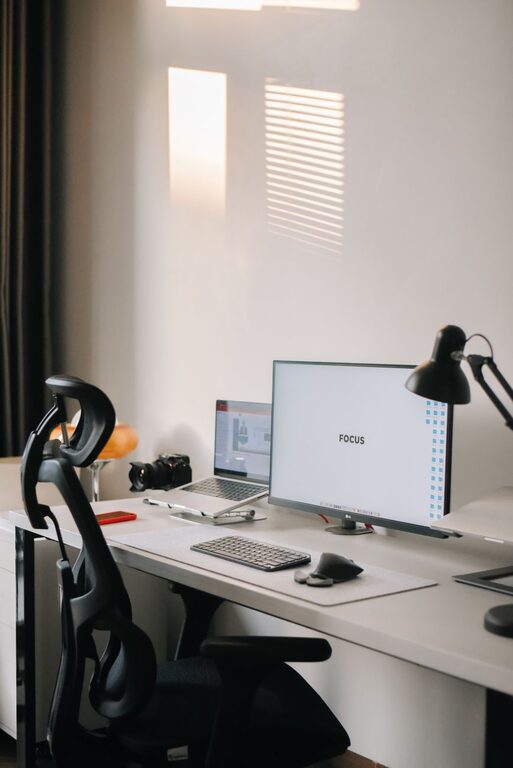
Only keep daily essentials on your desk, like your computer, a notebook, and a pen holder. Store other items elsewhere to maintain a clean and inviting workspace.
Manage Cables and Wires
Use cable clips, sleeves, or a cord management box to keep wires untangled and out of sight. A tidy desk not only looks better but also reduces stress and distractions.
Create an Efficient Filing System
Go Digital When Possible
Scan important documents and organize them in cloud folders. Digital files save physical space and can be accessed easily from anywhere.
Sort Physical Papers by Category
Use labeled folders or accordion files to keep paperwork organized by project, client, or subject.
Personalize Your Workspace Wisely
Add Inspiring Elements
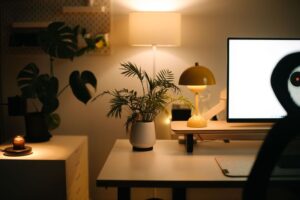
Include a plant, a piece of art, or family photos for a personal touch — but avoid overdecorating. The goal is to create a pleasant environment without diverting attention from work.
Use Color Strategically
Incorporate calming colors like blues and greens to promote focus, or use pops of brighter colors for energy, depending on what motivates you.
Maintain Your Organized Space
Develop Daily Habits
Before finishing work each day, spend five minutes tidying your desk and filing papers. This small routine keeps clutter at bay.
Regularly Reassess Your Setup
Every few months, review your office organization. Adjust storage, declutter again, or switch things up to keep your space efficient and enjoyable.
Use Technology to Stay Productive
Choose the Right Tools
Organizational apps, digital calendars, and task managers can keep you on track and help prevent physical clutter.
Keep Chargers and Devices Organized
Establish a designated spot for charging your devices to avoid misplaced cables and dead batteries during work hours.
Conclusion
Designing a clutter-free and productive home office isn’t just about tidiness—it’s about creating a workspace that helps you focus, feel comfortable, and get your best work done. With the right location, smart storage, and daily habits, your home office can become a motivating environment where productivity flourishes. Start implementing these strategies today, and enjoy a more organized and efficient workspace tomorrow.