
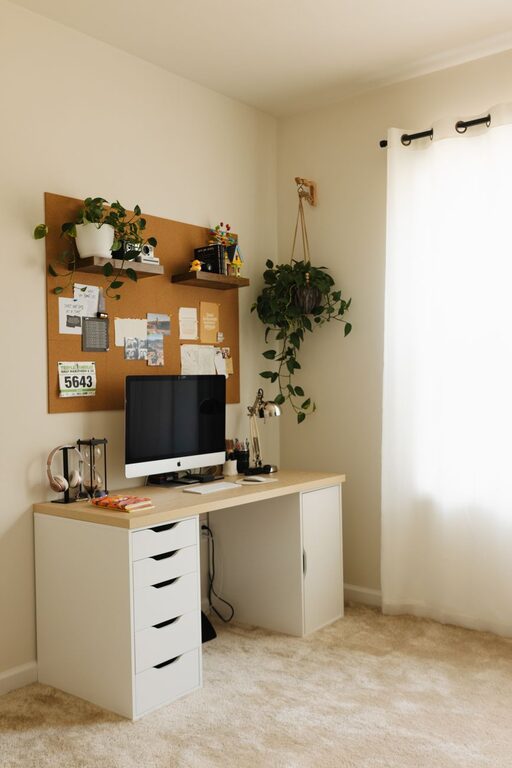
Creating a cozy and functional home workspace is essential for staying productive and comfortable throughout your workday. Whether you’re working remotely full-time or need a designated spot for occasional tasks, designing an area that fits your needs can improve focus and reduce stress. This guide offers practical tips to help you set up a home workspace that balances comfort, organization, and style.
Why a Cozy and Functional Workspace Matters
Your work environment has a direct impact on your productivity and well-being. A cluttered or uncomfortable space can lead to distractions and fatigue, while an inviting and efficient setup encourages better concentration and even enhances creativity. By thoughtfully designing your workspace, you can create a place you look forward to sitting in each day.
Choosing the Right Location
Consider Natural Light
Select a spot with access to natural light, if possible. Sunlight helps boost mood and energy while reducing eye strain. Position your desk near a window, but avoid glare on your computer screen by using curtains, blinds, or adjusting desk placement.
Minimize Noise and Distractions
Pick a quiet area away from high-traffic zones in your home. If that’s not an option, noise-canceling headphones or white noise machines can help create a distraction-free environment.
Think About Space and Privacy
Make sure the workspace offers enough room for your tasks and provides some level of privacy, especially if you share your living space with others.
Furniture and Ergonomics
Invest in a Comfortable Chair
Your chair should support your back and encourage good posture. Consider an adjustable office chair with lumbar support to prevent strain during long hours of work.
Desk Size and Functionality
Choose a desk that fits your available space but is spacious enough for your equipment and supplies. A desk with built-in storage or cable management can keep cords and clutter under control.
Position Your Monitor Correctly
Place your monitor at eye level about an arm’s length away to reduce neck and eye strain. If needed, use a monitor stand or stack books to achieve the right height.
Organizing Your Workspace
Declutter Regularly
Keep only essential items on your desk to maintain a clean, organized space. Regularly tidy up to prevent buildup of papers and miscellaneous items.
Use Storage Solutions
Incorporate shelves, drawers, or filing cabinets for storing documents, office supplies, and gadgets. Using organizers for pens, paper clips, and other small items helps keep your desk tidy.
Optimize Cable Management
Use cable clips, sleeves, or trays to prevent cords from tangling and cluttering your workspace. A neat area makes it easier to focus and prevents accidental disconnections.
Personalizing for Comfort and Inspiration
Add Cozy Elements
Include soft textiles such as a plush rug, a comfortable throw blanket, or cushions on your chair to create a warm and inviting atmosphere.
Bring in Greenery
Plants not only brighten your workspace but also improve air quality and reduce stress. Choose low-maintenance options like succulents, peace lilies, or pothos.
Incorporate Inspiring Decor
Display artwork, motivational quotes, or photos that lift your spirits and make the space feel uniquely yours without overcrowding.
Lighting Tips
Combine Ambient and Task Lighting
Use a mix of general overhead lighting and dedicated task lamps to ensure your workspace is well-lit without being harsh. Adjustable desk lamps allow you to focus light where you need it most.
Opt for Warm Light
Soft white or warm light bulbs reduce eye fatigue compared to cooler, bluish lights and add to the cozy feeling of your workspace.
Maintaining Work-Life Balance
Set Clear Boundaries
If possible, dedicate your workspace strictly for work and avoid using it for leisure activities. This helps you mentally separate work from home life.
End Your Workday Ritual
Create a routine to close down your workspace at the end of the day, such as turning off your computer, tidying your desk, and stepping away. This signals the end of work and transitions you back to relaxation.
Final Thoughts
Designing a cozy and functional home workspace doesn’t have to be complicated or expensive. By choosing the right location, focusing on ergonomics, maintaining organization, and adding personal touches, you create a space that supports your productivity and well-being. Experiment with these tips and adjust your setup until it feels just right for you. Happy working!